Going back to my previous budget AM4 build, my CPU of choice was a rather strange one, an AMD Ryzen 5 5600G. This choice was born out of compulsion, since I didn’t have any other alternatives at hand on such short notice.
To make matters even more complicated, I had this connected to an AMD RX 9070 GPU over Oculink, which sounded like a recipe for disaster. I ended up eating my words soon enough, when the setup played through my Steam library just fine, even managing to surpass my expectations in some cases, but ultimately pointing out that I desperately needed an upgrade.
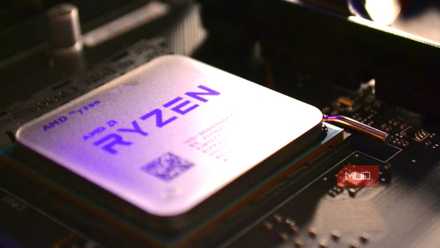
Your next CPU doesn’t need to be new — these older chips are a smarter buy
You don’t need to drain your bank account to grab a quality chip.
Coupling an RX 9070 with a Ryzen 5600G CPU
Performance expectations and some hard limits

To say that the Ryzen 5600G is a poor choice for the RX 9070, is an understatement. The CPU is woefully underpowered by modern standards, and only supports up to PCIe 3.0 speeds, which is not enough for something like a 9070.
To make matters worse, it has only 19 MB of total cache, which is something that came to haunt me later during the tests.
Furthermore, it’s not exactly a powerhouse either, and the Zen 3 CPU barely manages to scrape by with its 6 cores and 12 threads today. Still, at it’s time, it was an impressive APU whose integrated graphics kept folks going during the great GPU shortage.
As it stands, the 5600G is absolutely going to bottleneck the RX 9070. It’s just a question of how bad the bottleneck might turn out to be. For which, I chose a resolution of 3440×1440 (21:9, ultrawide — and my primary monitor’s resolution), which should be a challenging scenario for this particular CPU, including 4K gaming, that is.
I paired it with 32 GB of DDR4 RAM (dual-channel at 3200 MHz) and a 1 TB PCIe 4.0 NVMe SSD for the sole boot and games drive. The RX 9070 was connected using an Oculink to M.2 adapter into one of the M.2 slots, allowing for PCIe 3.0×4 speeds.
With everything set, I proceeded to test three games on a fresh installation of Arch Linux.
Performance and benchmarks
Better at high-resolution gaming, where the bottleneck shrinks
Now, at 1080p, the 5600G is quite terrible for the RX 9070, resulting in bottlenecks everywhere. Performance is also not great either, and there were a bunch of microstutters and mysterious frame rate dips that made playing games at this resolution a challenge.
In other words, it was not a good experience, and I would not recommend it in the slightest.
Flip over to 3440×1440, and things change a bit. We’re no longer as CPU-bound as we were at 1080p, and games are now a lot more GPU-bound. This results in some surprisingly decent performance (with the RX 9070 doing most of the heavy lifting) across the board.
For DOOM (2016), Warhammer 40k: Space Marine 2 and 007: First Light, this was a 60+ frames per second experience. However, average frame rates only tell half of the story, with the 5600G barely keeping up.
Of the three games, DOOM (2016) is perhaps the only “period accurate” game, since it doesn’t seem to bother the 5600G all that much. I wish I could say the same for the other two games though, which had some rather disappointing (but still playable!) results.
Still not particularly ideal
You’ll run into hard limits sooner or later

This was still far from ideal, and I kept running into hard limits quickly. In addition to having lower than average frame rates (as opposed to a more powerful CPU, that is), what suffered the most were the 1% lows.
It didn’t help that the games hit that 1% low way more often, or the fact that they were so jarring and frequent that it made the entire play through feel like a stuttery mess.
It was particularly bad on Space Marine 2, which is to be expected — it is a much more recent title that is taxing on the CPU, after all.
And herein lies the crux of the problem; you cannot fully compensate raw GPU power with a mediocre CPU. Still, for a hand-me-down system, it performed better than I expected it to, and I can live with it, for now.
A possible upgrade path
An upgrade for the CPU is almost a no-brainer at this point, and I find myself torn between two choices, a Ryzen 5700X or a Ryzen 5800X3D. Of course, the 5800X3D is a lot more powerful CPU and absolutely crushes the 5700X in gaming.
Unfortunately for the 5800X3D, the Ryzen 5700X is half its price, and makes a lot more sense. The 5700X retains the 8-core, 16-thread layout while limiting itself to 65 Watts, which means it runs a lot cooler.
It also has PCIe 4.0, which should be a nice bump up in speed for the Oculink eGPU setup. It does forego the integrated graphics though, which is a bit of a shame.